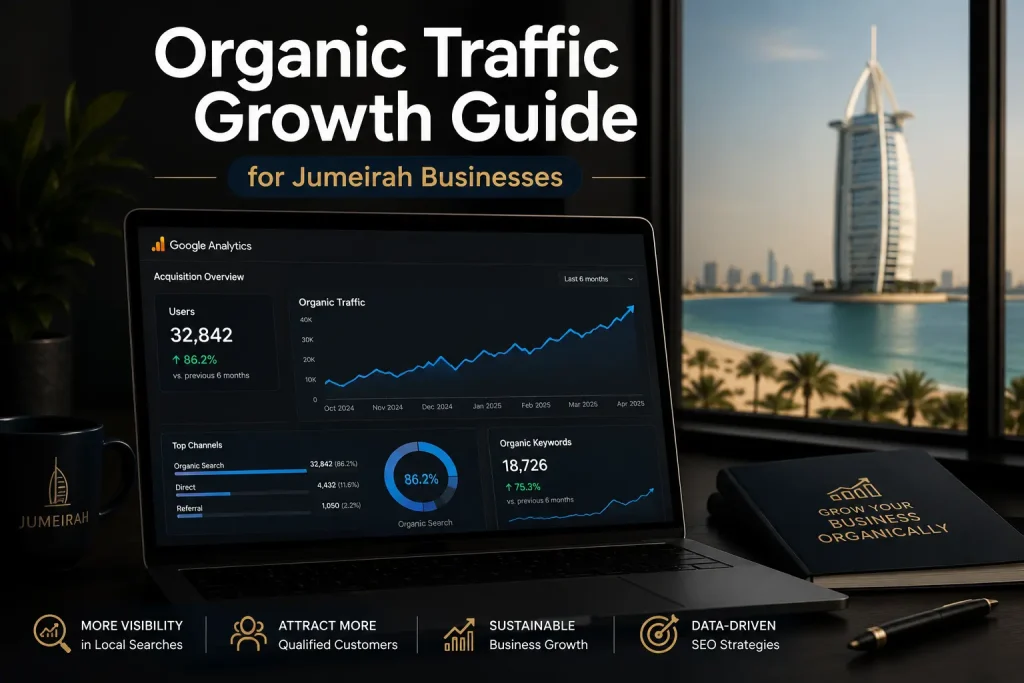

















Google Analytics is a free tool from Google that shows you exactly who visits your website, what they do there, and whether they turn into paying customers. For a UAE business, this means you can finally see if your Instagram ads, Google Search ranking, or WhatsApp campaign links are actually driving sales instead of guessing. Whether you run a boutique in Dubai Marina or ship orders across Pakistan and Canada, Google Analytics turns raw website traffic into decisions you can act on.
Google Analytics (now GA4) is Google’s free website tracking platform. It records every visitor’s journey where they came from, which pages they viewed, and whether they bought something or filled a form. UAE, Pakistan, and Canada businesses use it to measure marketing ROI, spot drop-off points, and grow revenue without extra ad spend.
What Is Google Analytics (GA4) and How Is It Different From the Old Version?
Google Analytics 4, known as GA4, replaced Universal Analytics in 2023 and is now the only version Google supports. The old system counted sessions on individual pages. GA4 tracks people across devices and platforms using an event-based model, so it follows a shopper from an Instagram ad on their phone to a purchase on their laptop the next day. That matters in the UAE, where a customer might discover your brand on TikTok during a Dubai commute and complete the order at home on desktop that evening. According to Statcounter, Google Analytics is used to measure traffic on more than 70% of tracked websites worldwide as of 2025, making it the closest thing to an industry standard for GA4 setup Dubai businesses rely on. GA4 also folds in app analytics, so a retailer running both a website and a mobile app sees one combined picture instead of two disconnected dashboards.
How Does Google Analytics Actually Work on Your Website?
A small snippet of tracking code, usually installed through Google Tag Manager, sits on every page of your site. Each time someone visits, clicks a button, scrolls, watches a video, or submits a form, that action fires as an “event” and gets logged against an anonymized visitor ID. Over time, this builds a picture of where traffic originates, whether from a Google search, a paid ad, a social post, or a direct visit, and what that traffic does once it lands. For website traffic tracking UAE businesses run through GA4, the platform also separates first-time visitors from returning ones, which tells you whether your content is building repeat interest or simply pulling in one-off clicks. None of this requires a developer on payroll; most setups take under an hour once the tag is placed correctly.
Why UAE, Pakistan, and Canada Businesses Can’t Afford to Skip It
Internet penetration in the UAE now exceeds 99%, according to the Telecommunications and Digital Government Regulatory Authority, meaning nearly every customer interaction with a UAE business starts online, whether that’s research, comparison shopping, or the purchase itself. Pakistan’s e-commerce transaction value crossed the equivalent of several billion dollars in 2024 per the State Bank of Pakistan, and Canadian shoppers increasingly expect the same fast, mobile-first experience they get from US retailers. Without Google Analytics, you’re running a business in all three markets on instinct. With it, you can see that your Karachi audience bounces off a slow checkout page, that your Toronto customers convert best from email rather than paid search, or that a Dubai landing page is getting traffic but no calls. That’s the difference between spending your marketing budget and wasting it.
Setting Up Google Analytics for Your Business – Step by Step
Start by creating a free Google Analytics account at analytics.google.com and setting up a GA4 property for your website. Install the tracking tag directly or, better, through Google Tag Manager, which lets you add future tracking (like button clicks or WhatsApp link taps) without touching your website’s code again. Link the property to Google Search Console so you can see which search terms are actually bringing in visitors. Set up key events, formerly called “conversions,” for actions that matter to your business: a completed order, a filled contact form, a WhatsApp click, or a newsletter signup. Finally, build one simple dashboard showing traffic sources, top pages, and key event completions, so you’re not digging through menus every time you want an answer. Most UAE, Pakistan, and Canada small businesses can complete this entire process in a single afternoon.
What to Track First – The Metrics That Actually Matter
New users overwhelm themselves trying to watch every metric GA4 offers. Focus on four numbers. Traffic sources tell you which channels, paid ads, organic search, social, or referrals, are actually sending visitors. Engagement rate (GA4’s replacement for the old bounce rate) shows whether people stick around or leave immediately. Key event completions tell you how many visitors take the action you care about, whether that’s a purchase or a form submission. Conversion rate by channel tells you which source brings in visitors who actually buy, not just click. A Dubai retailer might discover that Instagram sends the most visitors but Google Search sends the most buyers, which should immediately reshape where next month’s ad budget goes.
Frequently Asked Questions
Q1: What is Google Analytics used for?
A: Google Analytics is used to track and understand website visitor behavior, including where traffic comes from, which pages people view, and whether visitors complete actions like purchases or form submissions. UAE, Pakistan, and Canada businesses use this data to measure marketing performance and identify where customers drop off before buying.
Q2: Is Google Analytics free for small businesses in Dubai?
A: Yes, GA4 is completely free for standard use, with no cap on website traffic that would affect a typical small or mid-sized business in Dubai or anywhere in the UAE. Google also offers a paid enterprise version, Google Analytics 360, but the vast majority of businesses never need it.
Q3: How does Google Analytics help Pakistani online stores?
A: Pakistani e-commerce stores use Google Analytics to see which cities and channels drive the most orders, which products get viewed but not purchased, and where mobile shoppers abandon checkout. Given how much of Pakistan’s online shopping happens on mobile devices, this visibility often reveals fixable problems, like a slow-loading checkout page, that are quietly costing sales.
Q4: Why do Canadian businesses need GA4 specifically?
A: Universal Analytics stopped processing data in 2023, so GA4 is now the only supported option from Google. Canadian businesses also benefit from GA4’s cross-device tracking, which reflects how Canadian shoppers research on mobile and purchase on desktop, and its privacy-friendly data controls that align well with PIPEDA expectations.
Q5: How much does it cost to set up Google Analytics on my website?
A: The tool itself is free, and setup typically takes one to two hours for a straightforward website when done correctly through Google Tag Manager. Costs only arise if you hire an agency or consultant to handle the setup, event tracking, and dashboard configuration for you, which most businesses find worthwhile to avoid mistakes.
Turn Your Website Data Into Business Growth
Google Analytics turns your website from a guessing game into a source of answers. Once it’s set up correctly, you know exactly which channels bring paying customers in Dubai, Karachi, or Toronto, and which ones are quietly draining your budget. Getting the setup, event tracking, and dashboards right the first time saves months of unreliable data. C Zone Star helps UAE, Pakistan, and Canada businesses set up and interpret Google Analytics properly. Book a free consultation at czonestar.com to get your tracking working the way it should.